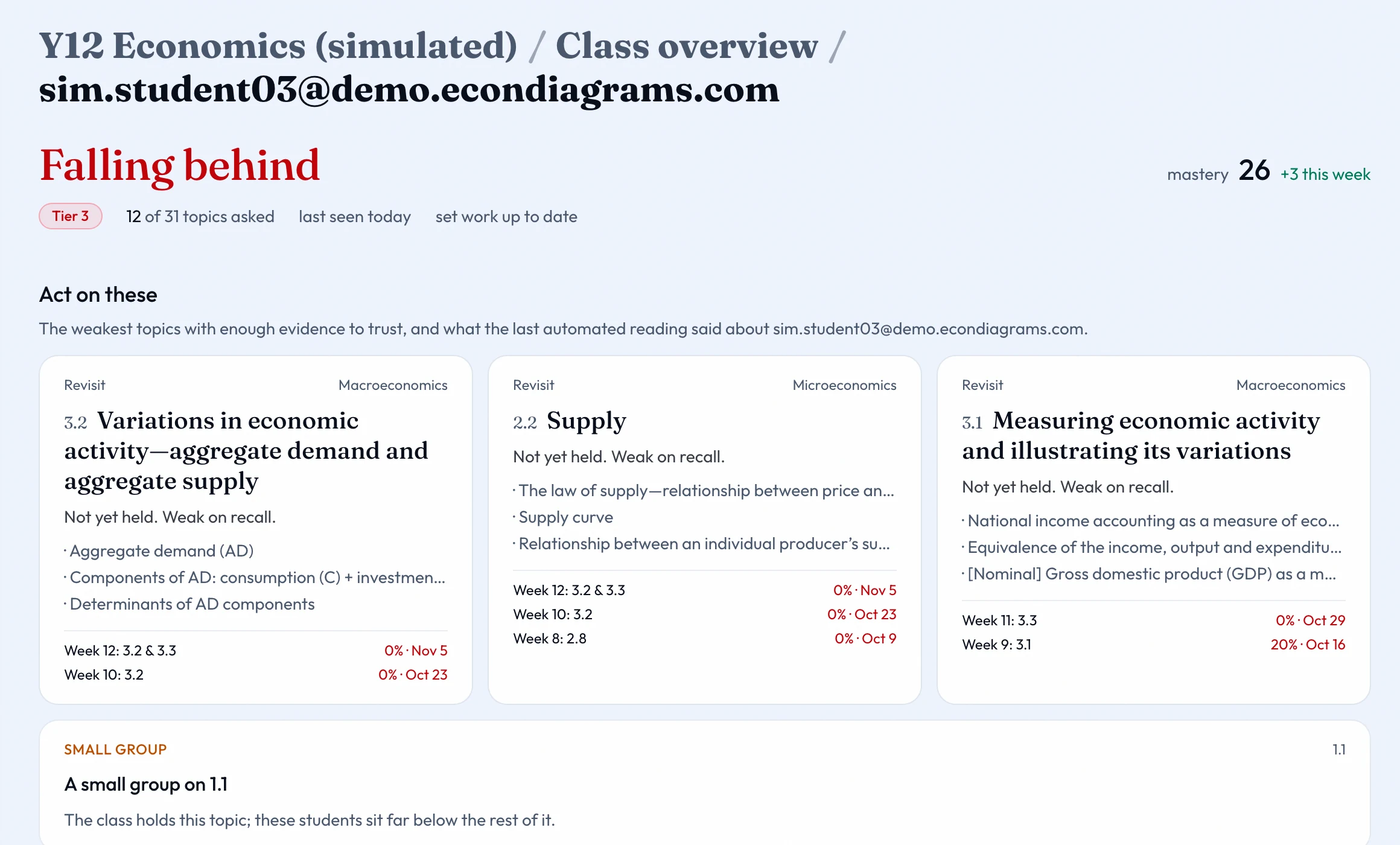
The dashboard for the class: who needs you this week, how every student is doing on every topic, and what to set next.
Where it is
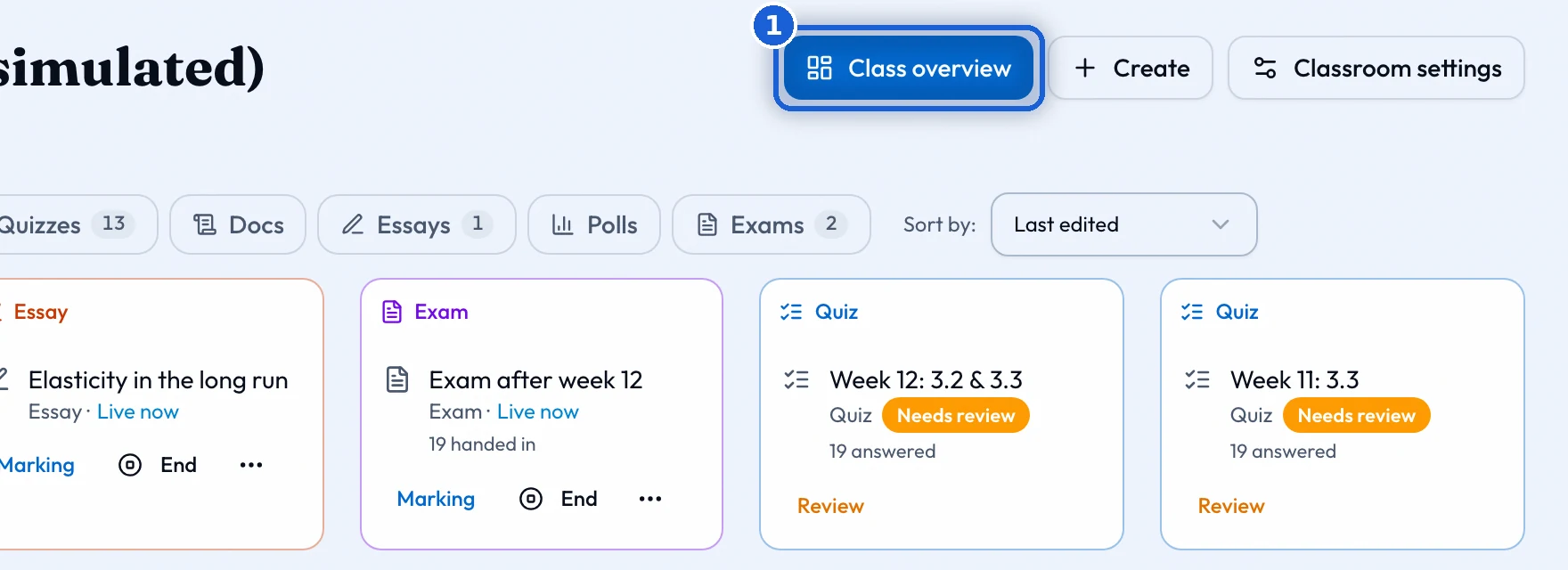
Press 'Class overview' at the top of the classroom page. It reads every quiz and essay the class has done, both the work you set and the students’ own practice. It updates as results come in.
The pulse
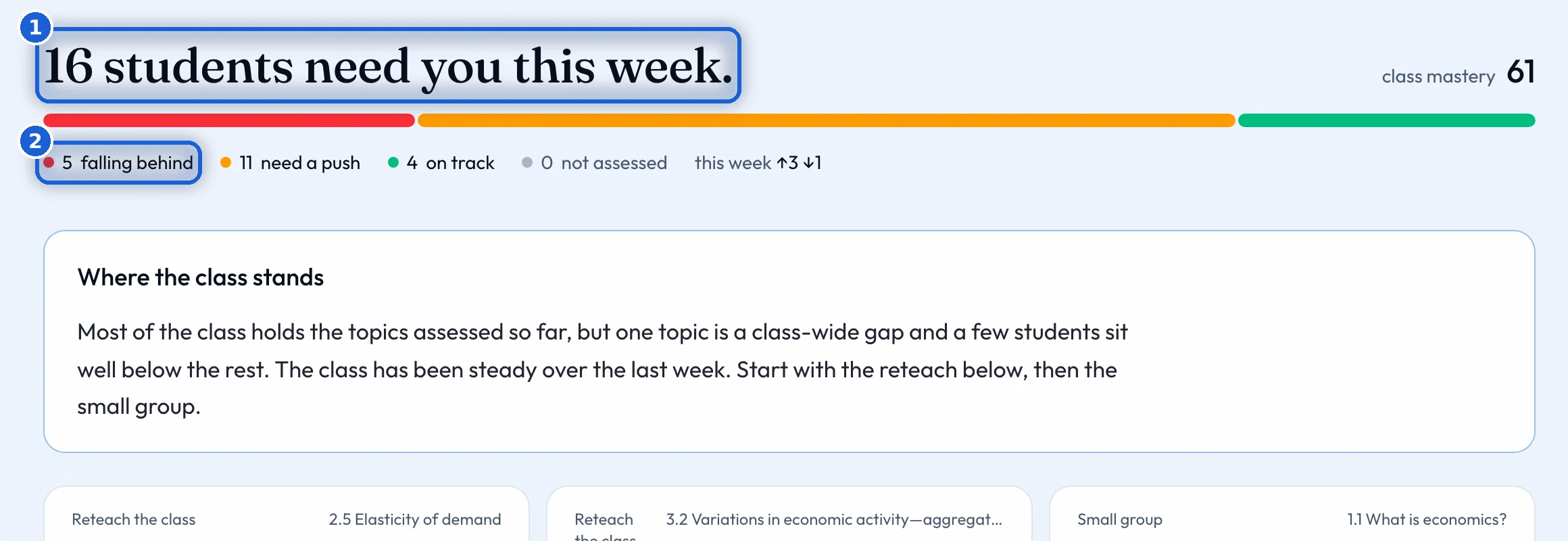
The top line says how many students need you this week, and the class’s mastery as one number. Below it: how many are falling behind, need a push, are on track, or have not been assessed yet, with the change since last week.
Who needs you
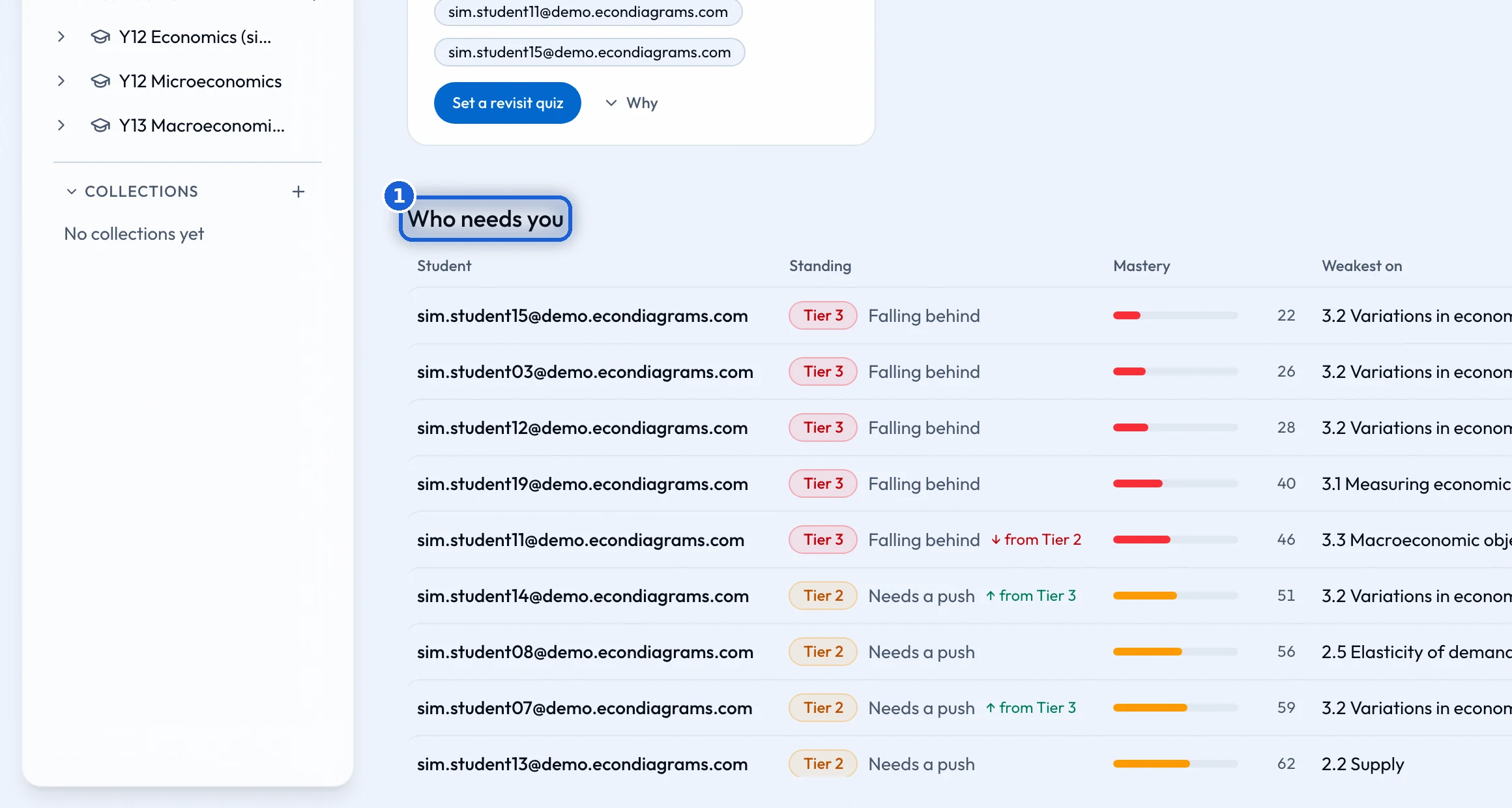
The 'Who needs you' table lists each student with their standing, their mastery, their weakest topic, when they were last seen, and what work they still owe. Students who are on track are folded away, so the students who need you come first. A student not seen for two weeks turns red.
'Set revision' makes one quiz per chosen student, from that student’s own weakest topics. You see the price before any quiz is made. When the whole class needs a topic again, 'Set a revisit quiz' does the same for everyone.
The syllabus
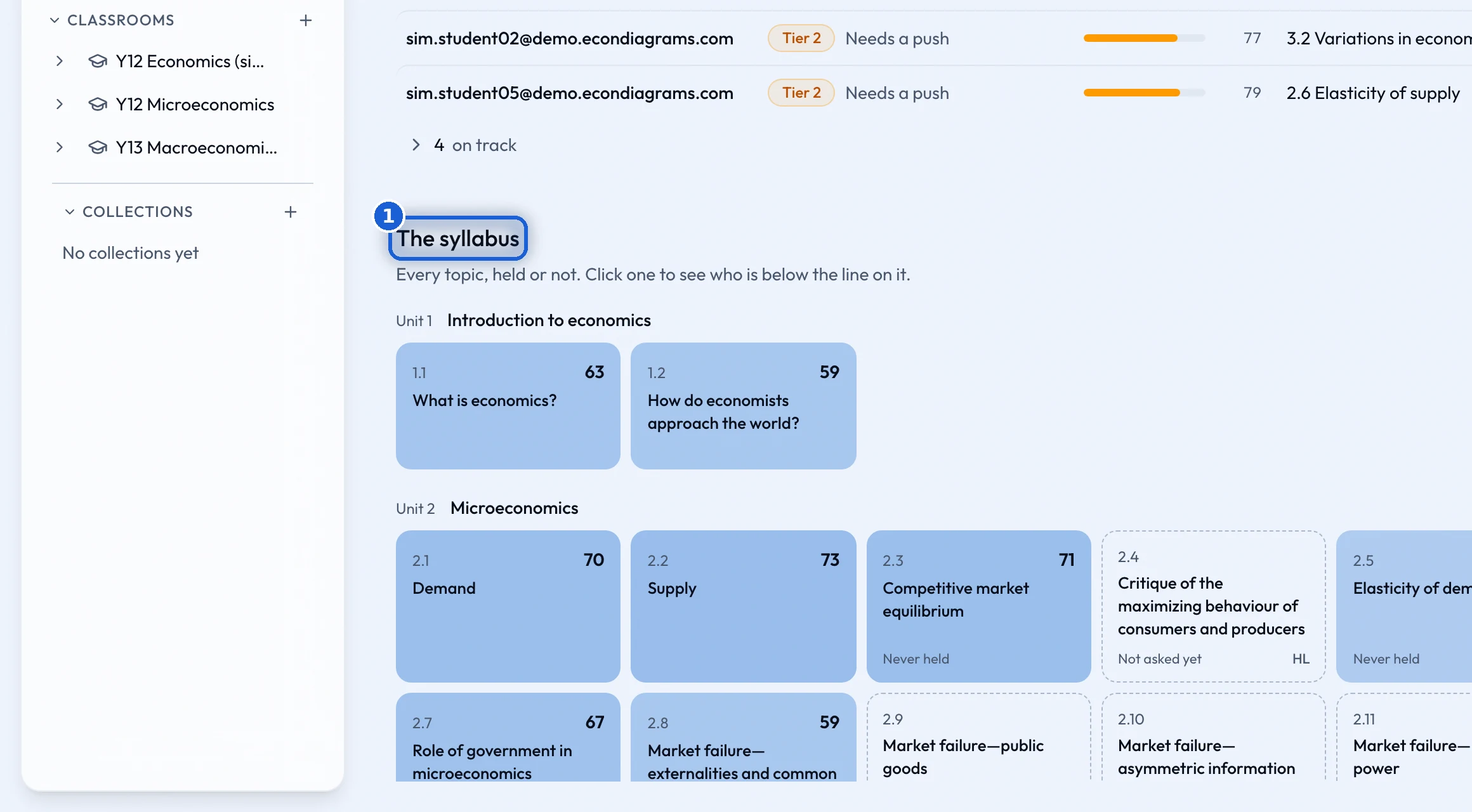
'The syllabus' shows every topic, known or not. Press a topic to see who is below the line on it. A topic nobody has been asked about yet says so.
Support tiers
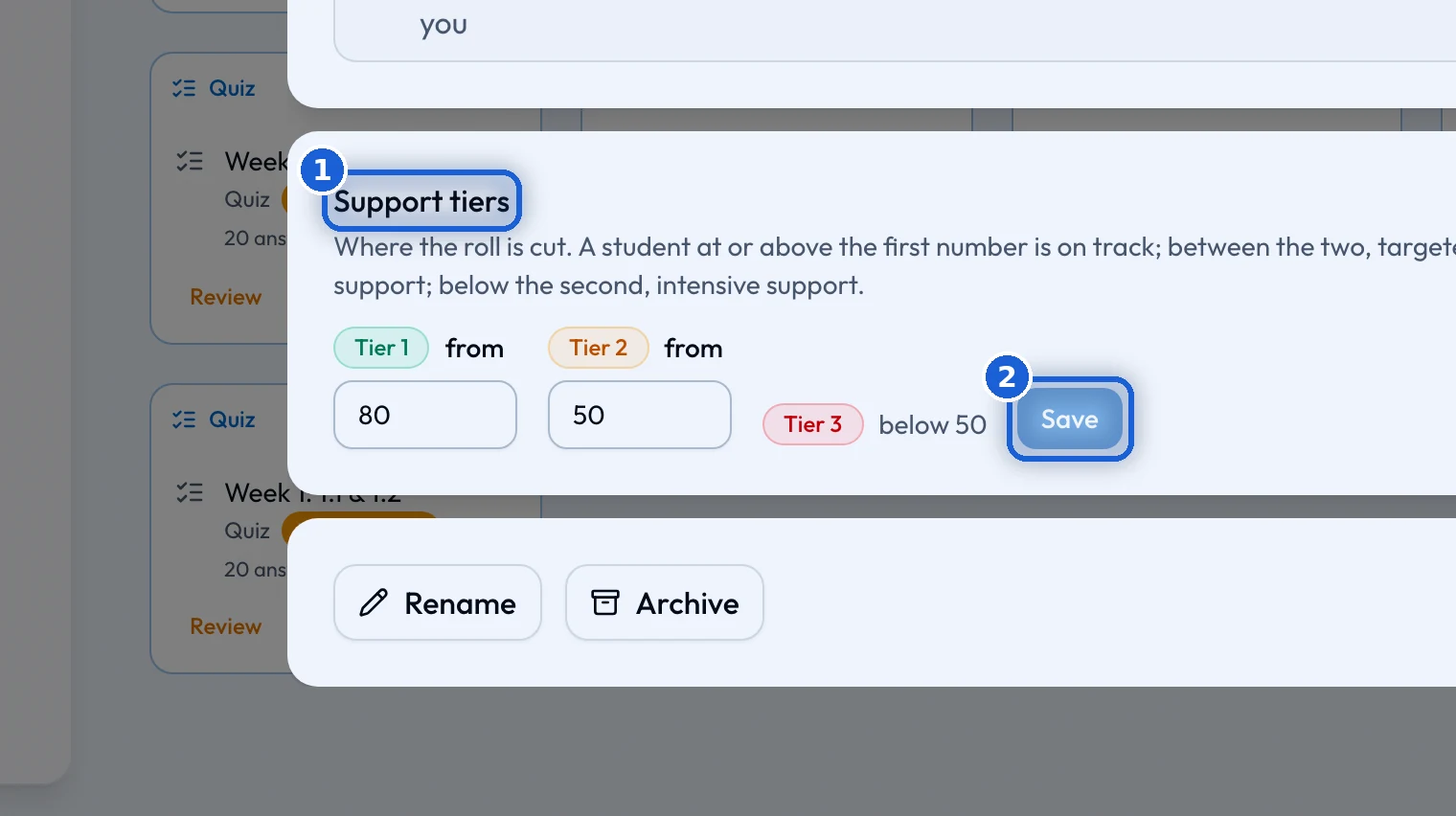
'On track', 'Needs a push' and 'Falling behind' are set at 80 and 50 to begin with. Change the two numbers under 'Support tiers' in 'Classroom settings' and press 'Save'. The overview and every student’s page use the new numbers.
A page per student
Press a student’s name to open their page. It shows what to act on first, their syllabus map, what they say about each topic next to the evidence, and their recent work. Their space, opened from the Students folder, holds their own board and the work set for them alone.